Living room
Light, color and verticals
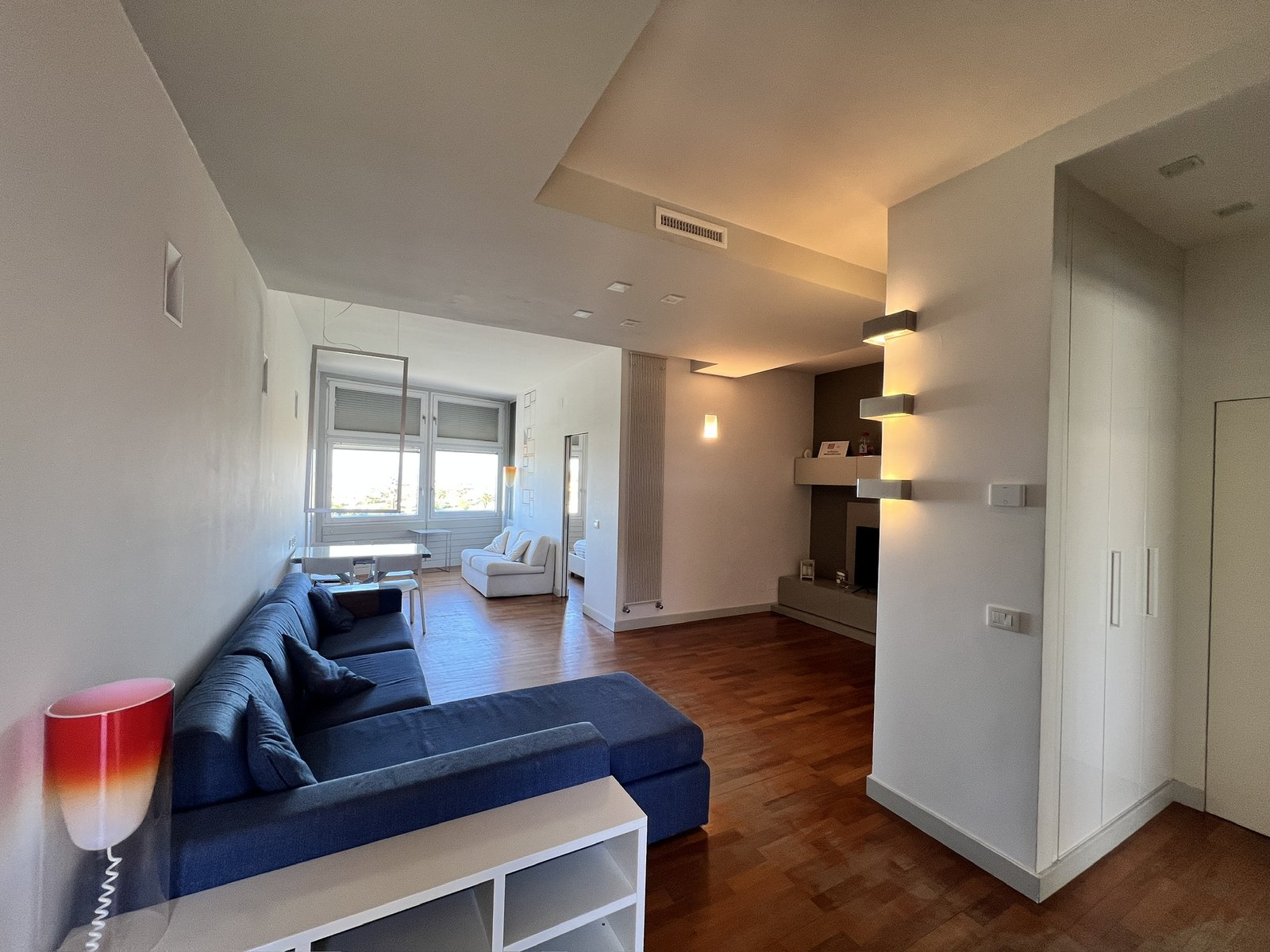
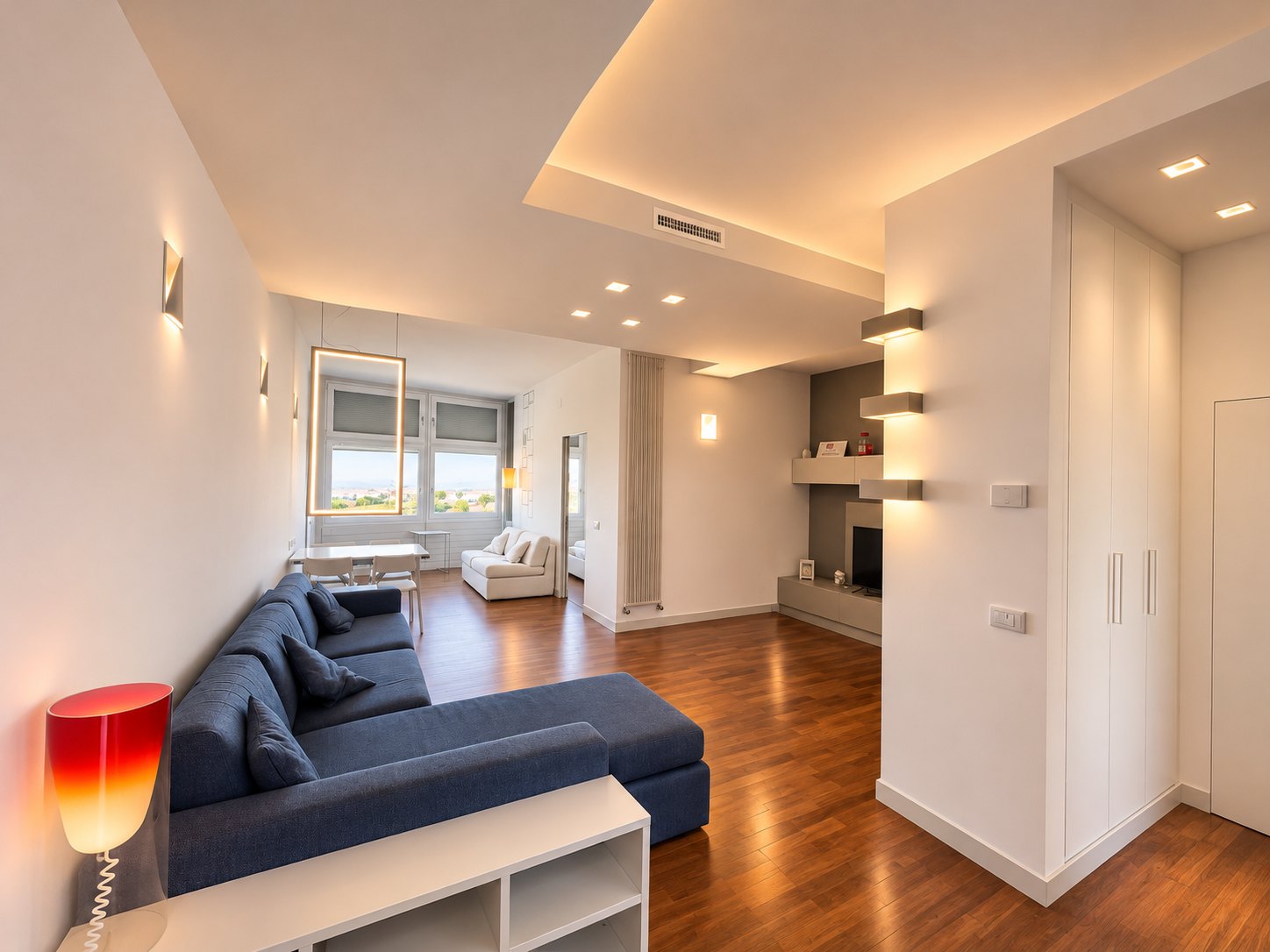
Existing lights shown switched on.
Interior listing photo editing in ChatGPT
Give your listing photos more light and polish with a ChatGPT workflow built to respect the real rooms, materials and colors.
Upload your photos. Get consistent, professional-style edits. Download JPGs ready to review for your listing.
$19.90 one-time
One-time payment, no plugin subscription
Planned launch price · sales not open yet
Full version tested on ChatGPT Pro. On the free plan: automatic verticals, windows, light and color, without object cleanup or bedding touch-ups. Requirements
Existing lights shown switched on.
See all examples →Where we stand
Listings are full of photos that don't survive the showing: stretched rooms, staged furniture that isn't there, views that don't exist. When buyers walk in and find a different home, they feel misled, and the agent loses their trust. Real Estate Photo Pro AI works on the real photo: more light, accurate color, a tidier frame. The home buyers see online is the home they'll walk into, just photographed better.
The problem
It happens with good homes and good cameras alike: interior light is hard to capture in a single shot.
The room sits in shadow while the window turns into a white blur.
Bulbs and reflections give white walls a yellow, green or blue cast.
Doors, window frames and corners tilt, and the room feels off balance.
Wood, fabrics and plants look duller than they do in person.
A cable, a soap bottle, a remote: details that pull the eye away.
Every shot has its own light and color temperature, and the listing looks patchy.
For each image you have to explain again what to fix and what to leave alone.
The solution
Real Estate Photo Pro AI packs the editing rules for interior listing photos into a single workflow: how to handle room light, whites, verticals, windows and clutter. The rules are already set up and stay the same for every photo.
More light, balanced color and a polished presentation, with care for what the property really looks like.
Results depend on the original photo and on the tools available in your ChatGPT account. As with any AI-assisted editing, review every image before you publish it.
Examples
Original photos and workflow results from two different homes, shown in full, uncropped. Click a photo to view it full screen and switch between versions.
Recent, bright interiors: the edit brings out light, whites and clean lines.
Light, color and verticals
Existing lights shown switched on.
Dark interior and bedding
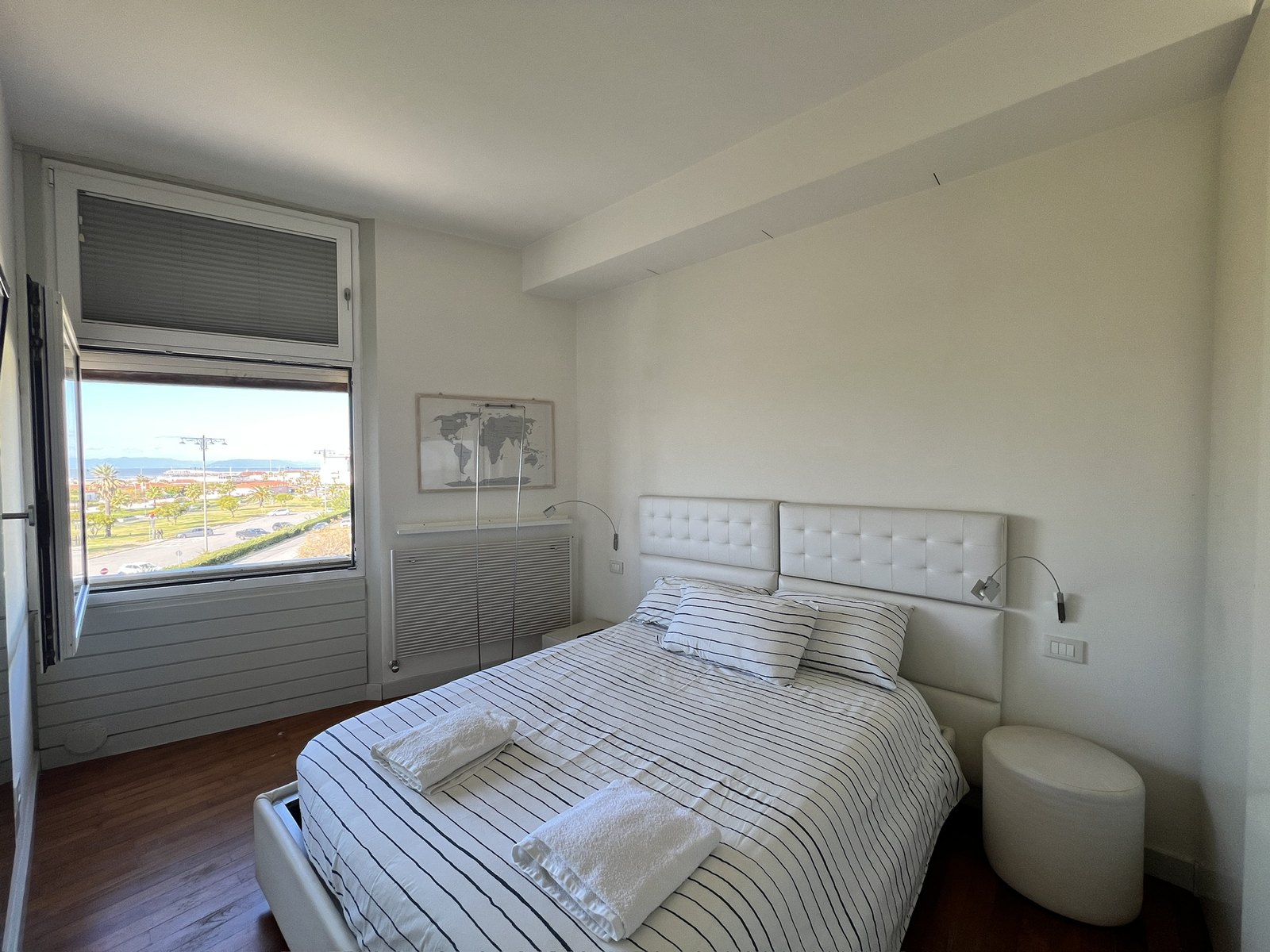
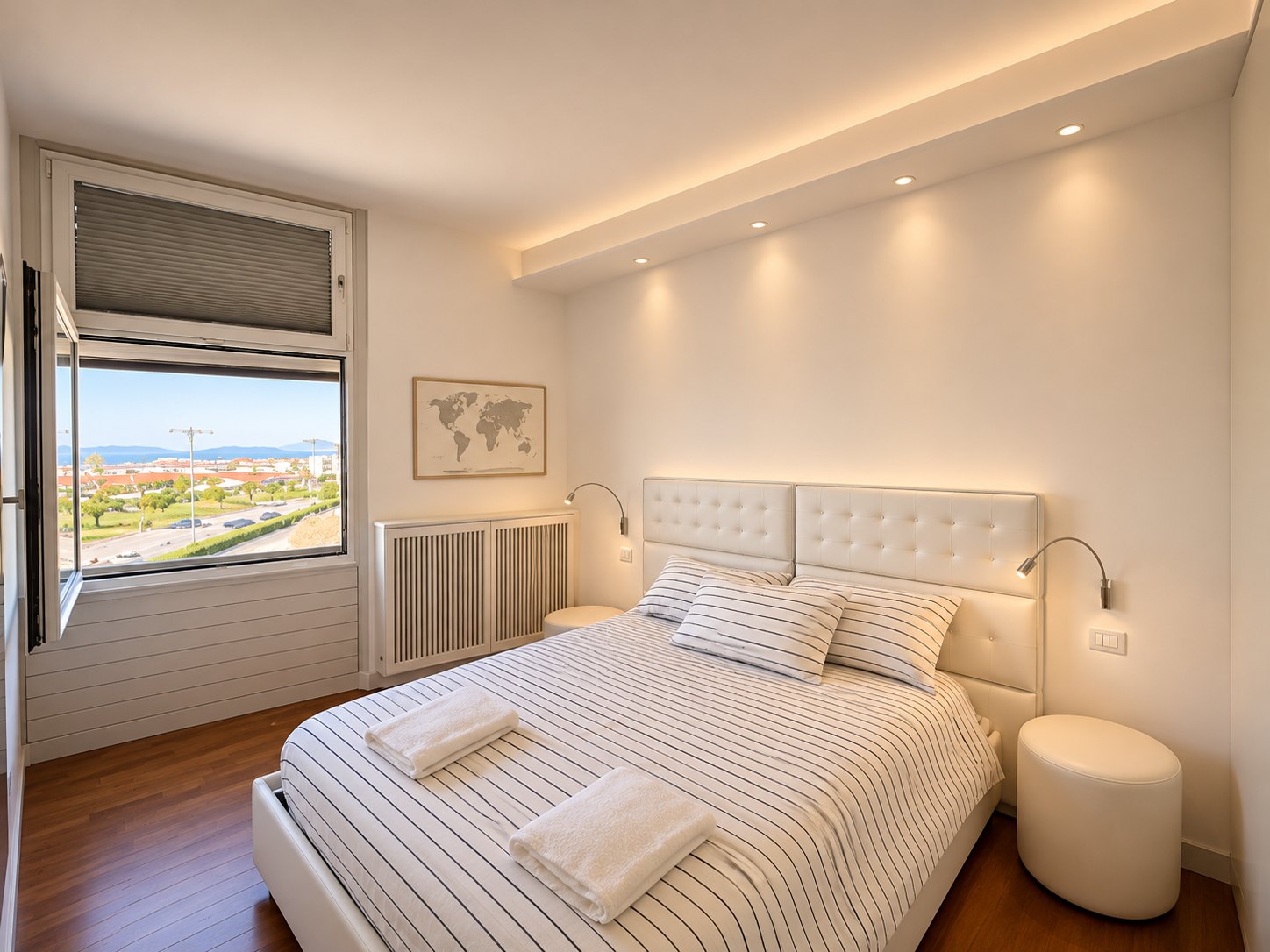
Existing lights shown switched on.
Small objects and reflections
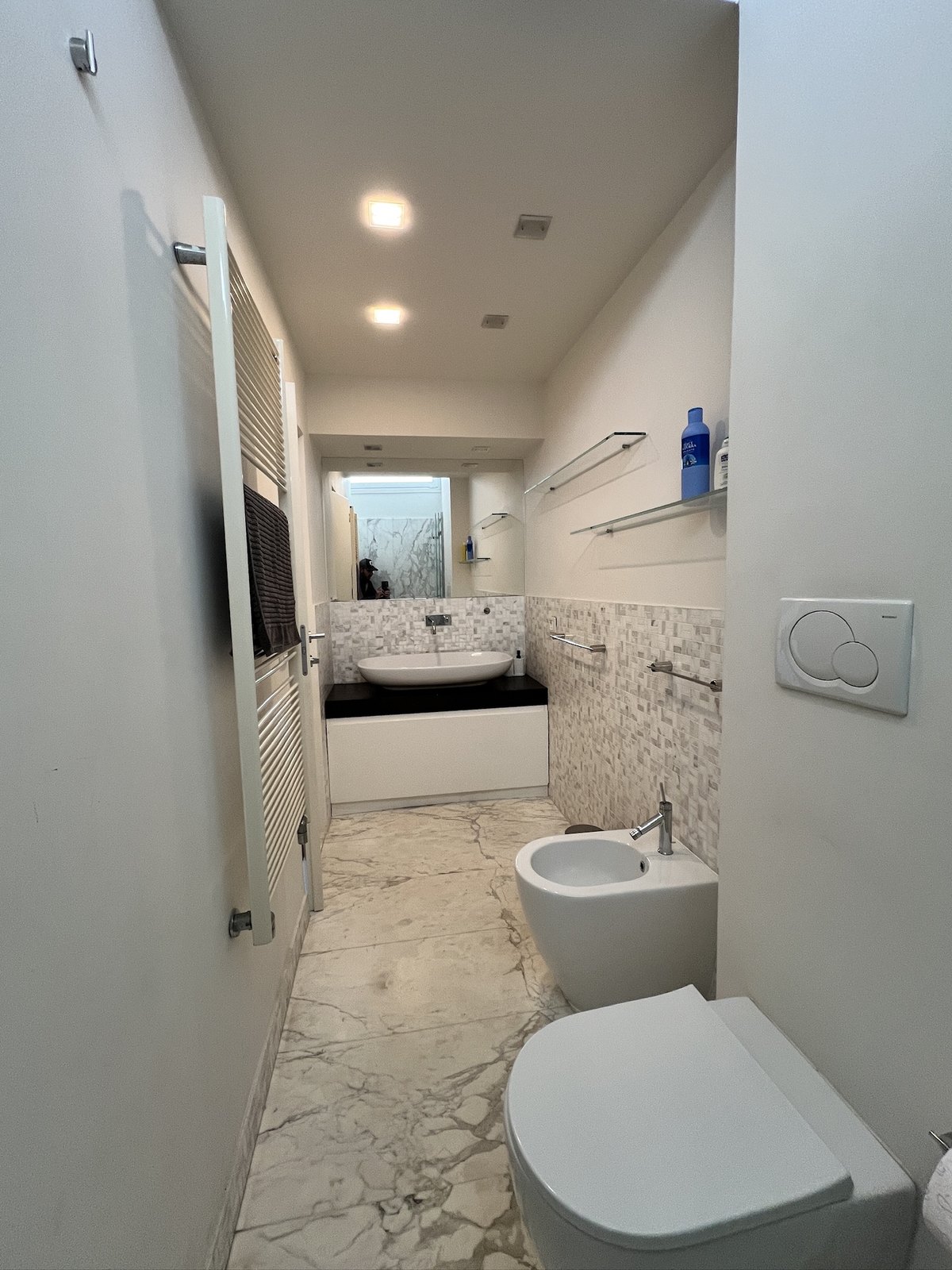
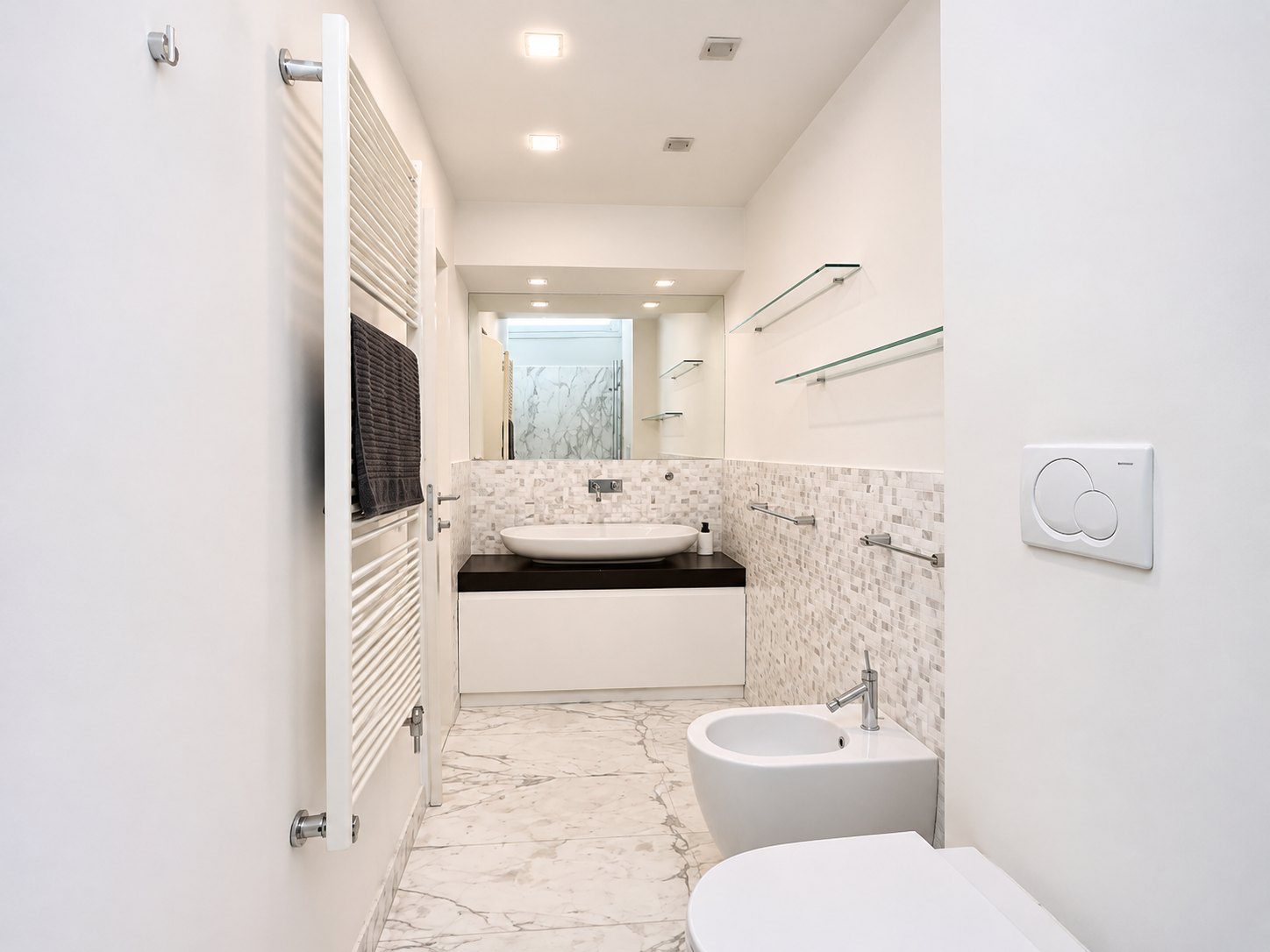
A lived-in, unrenovated home shot on a smartphone: more light and accurate color, with the real furniture and belongings.
Backlight and color
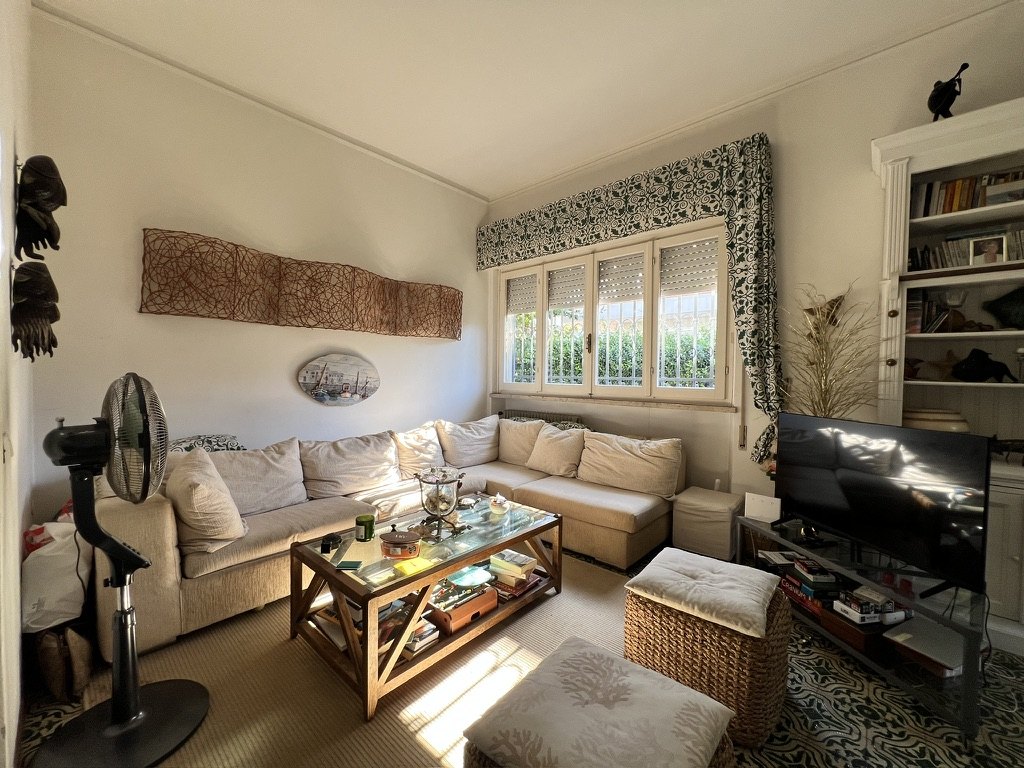
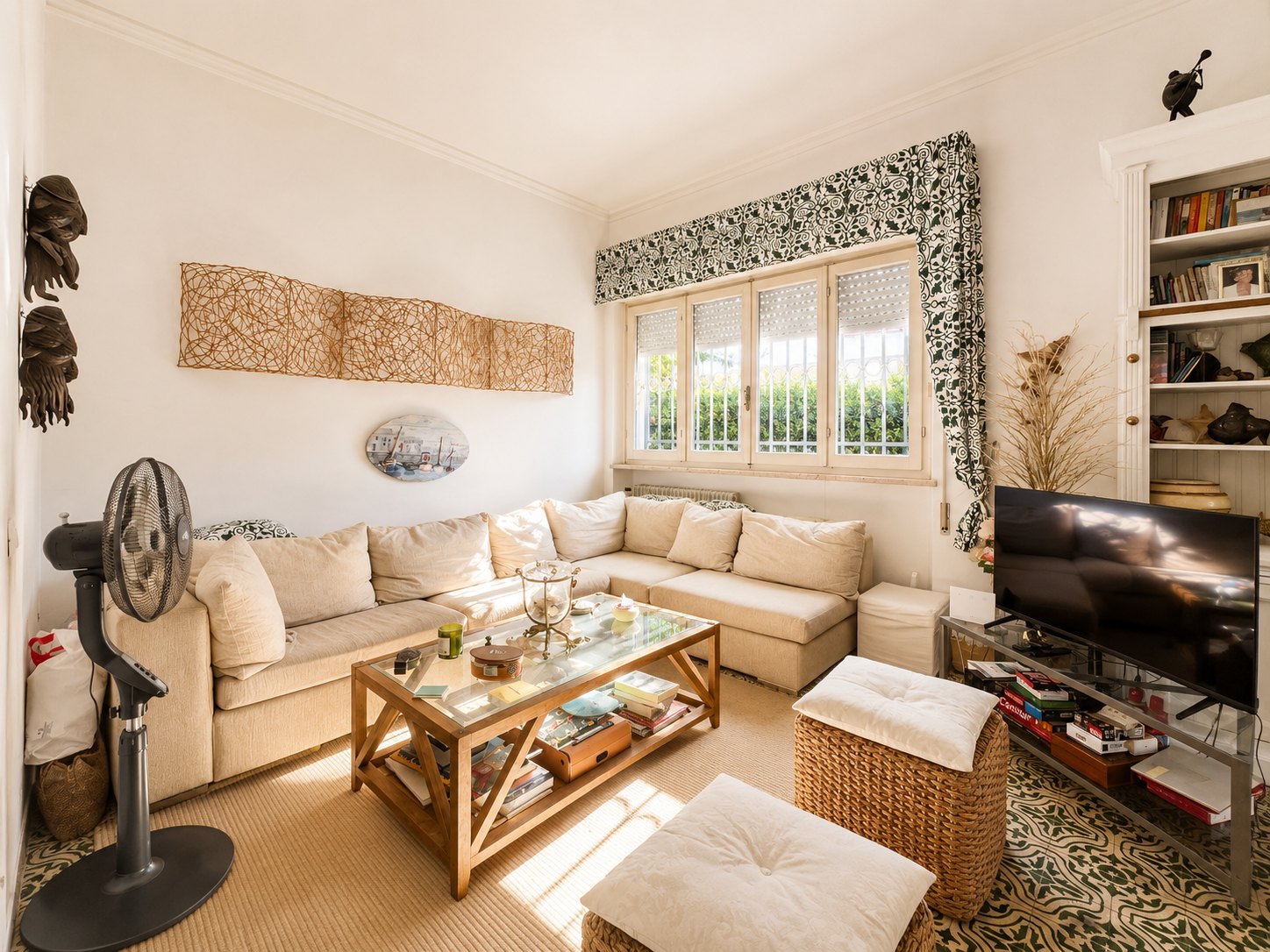
Whites, curtains and verticals
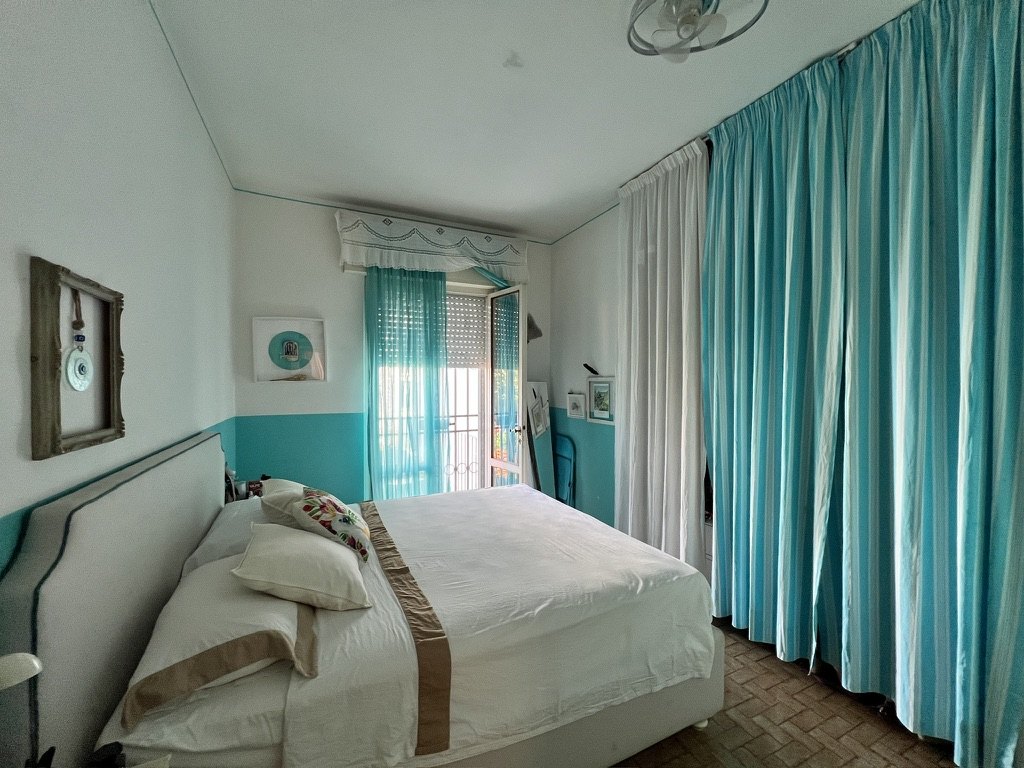
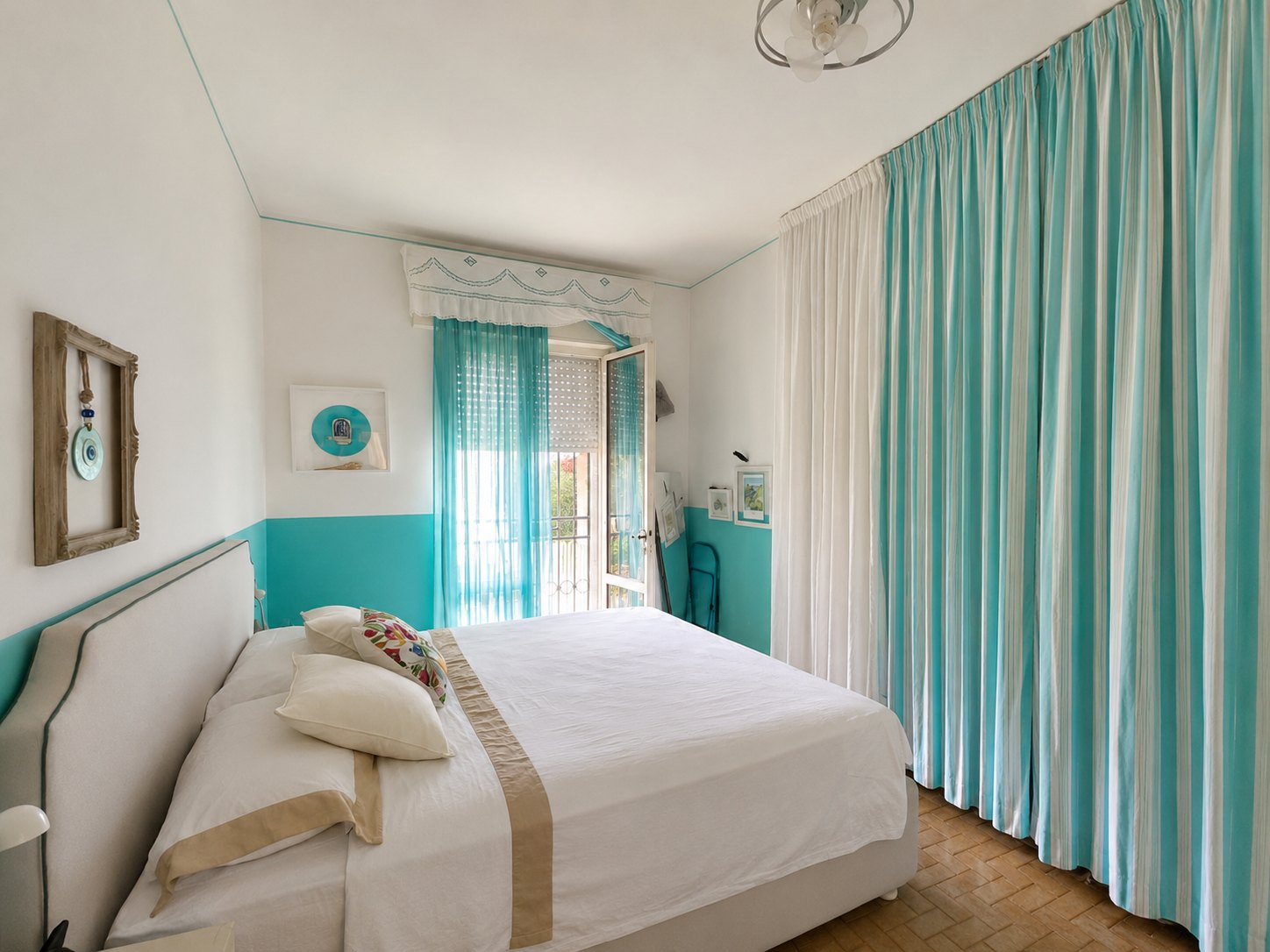
Technical breakdown
Values read from the pixels of the original and the edited photo, in the same areas of the image: white balance in Lab coordinates, exposure in stops, tone curve, noise. No added effects, just the light, color and geometry of the same photograph.
Bedroom
White balance
Wall: a* from −5.1 to +0.3. The green-cyan cast is neutralized; b* +5.3 leaves a slightly warm white. Noise on the flat surface: σ from 3.6 to 2.5.
Before RGB 150 · 160 · 153After RGB 198 · 192 · 183Exposure and tone curve
+0.65 EV estimated from mean luminance. Median from 132 to 167, black point from 19 to 49: shadows opened up without blowing the highlights (0.6% of pixels above 250).
Plumb verticals
Wall corner and curtain frame aligned with the vertical guides. This shot was already almost level, so the correction is minimal.
Smooth sheets, clean whites
Sheet with a freshly pressed look: fabric wrinkles and shadows softened (luminance σ from 16.1 to 11.7, −27%), keeping the weave and matching trim. Brighter, more neutral white: L* from 74 to 82, a* and b* within ±2.2.
Before RGB 182 · 182 · 178After RGB 207 · 203 · 208Color without forcing it
Curtain: L* from 52 to 59, b* from −2.1 to +2.2. The turquoise is lighter and less cold; saturation drops from 33% to 23%, no color artificially pushed.
BeforeAfterShare of pixels from black (left) to white (right). Deep shadows (luminance 0–63) from 9.1% to 1.6%; black point from level 19 to 49; highlights above 250 from 0.3% to 0.6%.
Method: averages over identical areas of both photos. Lab computed from sRGB (D65 illuminant); EV estimated from the ratio of mean linear luminance; σ is the standard deviation of luminance in the area. Values for this example only: other photos will give different results.
For agents and brokerages
When a professional photo shoot isn't in the budget, you can still present the home with bright, tidy images, starting from the shots you already took.
Shoot during the walkthrough, edit, and go live without waiting on an outside photographer. In our tests on ChatGPT Pro, editing took about 40 seconds per photo: roughly 10 minutes for a 15-photo listing.
A one-time purchase of $19.90, for all your listings, instead of paying for every photo shoot. Your ChatGPT subscription is not included.
For fixer-uppers and lower-priced homes, where a pro shoot doesn't pencil out: more light and order, while showing the rooms as they really are.
The examples on this page start from smartphone photos. No pro gear or photo-editing software needed.
You can ask ChatGPT to remember your preferences, like brightness or color rendering, and refine them listing after listing. This depends on the memory features enabled in your ChatGPT account.
The same rules for every photo and every agent: listings that look consistent, even when different people take the pictures.
Launch price planned · sales not open yet
$19.90 one-time payment, no plugin subscription
Ask a questionBenefits
Clearer shadows and midtones, with care for the highlights.
Bright walls, sheets and towels without losing texture and tone.
A gentle color boost, without oversaturation or artificial hues.
Truly vertical architectural lines corrected, with proportions preserved.
Window detail recovered when the file allows it, without inventing a view.
Small temporary items cleaned up and bedding neatened, keeping the original fabrics and patterns.
Landscape 4:3 JPGs, ideally 3200 × 2400, named by room.
living_room_001.jpg bedroom_002.jpg bathroom_003.jpg
Object cleanup and bedding touch-ups require the image-editing tools of paid ChatGPT plans (tested on Pro). On the free plan, verticals, windows, light and color are handled automatically. Each edit is applied when the original photo allows it.
How it works
You get the plugin file and a step-by-step guide: in ChatGPT, open Plugins, click Add and upload the file. You only do it once, in a few minutes.
Select the plugin in a new chat and upload your photos: it applies the editing rules without you having to rewrite a prompt every time.
Compare each result with the original before you publish the listing.
True to the property
The workflow rules are written to improve the presentation, not to change the property.
These are the principles the workflow is built on. AI editing tools can still introduce inaccuracies: always compare the result with the original, and discard anything that doesn't match the property. You are responsible for following your MLS and brokerage rules on edited photos.
What's included
Real Estate Photo Pro AI
$19.90 one-time
One-time payment, no plugin subscription
Planned launch price, final offer to be confirmed
Sales are not open yet: no payment is requested on this page.
FAQ
No. After you buy, you receive the plugin file and add it to your own ChatGPT: open Plugins, click Add and upload the file. The PDF guide walks you through it. Real Estate Photo Pro AI is not an OpenAI product.
No. The editing instructions are built into the plugin: with the plugin selected, just upload your photos.
In our tests on ChatGPT Pro, about 40 seconds per photo. Other plans may differ; times also vary with service load and the photos you upload, plus the time to upload photos and review results.
You need a ChatGPT account. The full version, with object cleanup and bedding touch-ups, was tested on ChatGPT Pro and requires the image-editing tools of paid plans. With a free account, the plugin runs in automatic mode (see the next question).
Yes, in automatic mode. With a free account, the plugin straightens verticals, recovers windows where there's real detail, opens up shadows, corrects color casts and exports a 3200 × 2400 4:3 JPG. If the room's lines aren't clear enough, it leaves the perspective as is rather than distort the space. It doesn't remove objects or neaten bedding: those touch-ups need a paid plan.
No. The price covers the workflow, not a ChatGPT subscription. Availability and processing limits depend on your ChatGPT account and the tools used.
The workflow is designed to preserve what's really there. Still, compare every result with the original before publishing, and follow your MLS rules on edited photos.
No. It can't recover information the file doesn't contain, and the workflow never invents a view.
No. The workflow is designed and tuned for interior photos only: living rooms, bedrooms, kitchens, bathrooms and other rooms. Exteriors, facades, yards and aerial shots are not supported.
Yes. The examples on this page start from smartphone photos. The sharper and better exposed the shot, the better the result.
Yes. The workflow improves light, color and tidiness in homes that need work too, while still showing the rooms' real condition: material defects are not hidden.
You can ask ChatGPT to remember your preferences, like brightness or color rendering, and apply them to later edits. This works within the memory features enabled in your ChatGPT account.
Yes, but getting a 4:3 landscape format may require a crop that shows less of the room. Shooting in landscape gives the best results.
Landscape 4:3 JPGs, ideally 3200 × 2400, named by room with a sequence number, for example living_room_001.jpg. Any upscaling does not create real detail that wasn't in the original.
With a paid plan, the workflow makes targeted edits so they look neat and smooth, preserving color, pattern and texture, within the limits of the available tools.
Payment is handled by PayPal, in US dollars. Sales are not open yet: you can't buy at the moment.
Right after your payment is confirmed, you'll receive an email with the plugin file and the PDF installation guide. Sales are not open yet, so you can't buy at the moment.
Email cloe.design.milan@gmail.com.
More light, balanced color and a consistent process for every photo, true to what the home really is.
$19.90 one-time · planned launch price